What visitor management system features matter most for busy commercial buildings?
- Fast digital check-in to reduce lobby queues during peak visitor hours.
- Pre-registration and host approval to make expected visits easier to manage.
- Temporary visitor credentials for controlled access to approved areas only.
- Real-time monitoring and reporting to help facility teams track visitor activity.
- Integration with access control systems for doors, turnstiles, parking, and restricted zones.
Overview
- Busy commercial buildings need visitor management features that support speed, security, and clear visibility.
- Facility managers should evaluate how the system handles check-ins, visitor credentials, access permissions, and reports.
- The right setup helps front desk teams manage high visitor traffic while giving security teams better control over who enters the facility.
In a busy commercial building, visitor management affects more than the reception desk. It influences lobby traffic, tenant experience, security coordination, emergency readiness, and the way people move through controlled areas.
This is why facility managers need to know what visitor management system features matter most for busy commercial buildings. A system should not only record visitor names. It should help verify arrivals, speed up check-ins, assign access rights, monitor movement, and maintain accurate records.
For buildings with tenants, contractors, suppliers, applicants, clients, and delivery personnel arriving throughout the day, the most useful features are the ones that reduce manual work while keeping access controlled.
Why Do Busy Commercial Buildings Need More Than a Manual Visitor Log?
Manual logbooks can become difficult to manage when visitor traffic is high. Front desk staff may need to record names, call hosts, issue passes, monitor waiting visitors, and coordinate with guards at the same time.
A digital visitor management system helps organize these tasks by turning visitor registration into a more structured process. Instead of relying only on handwritten records, the system can store visitor details, check-in times, host information, and access permissions in one place.
For facility managers, this improves visibility. It becomes easier to know who entered the building, who they visited, when they arrived, and whether they have already checked out.
Which Visitor Management Features Should Facility Managers Prioritize?
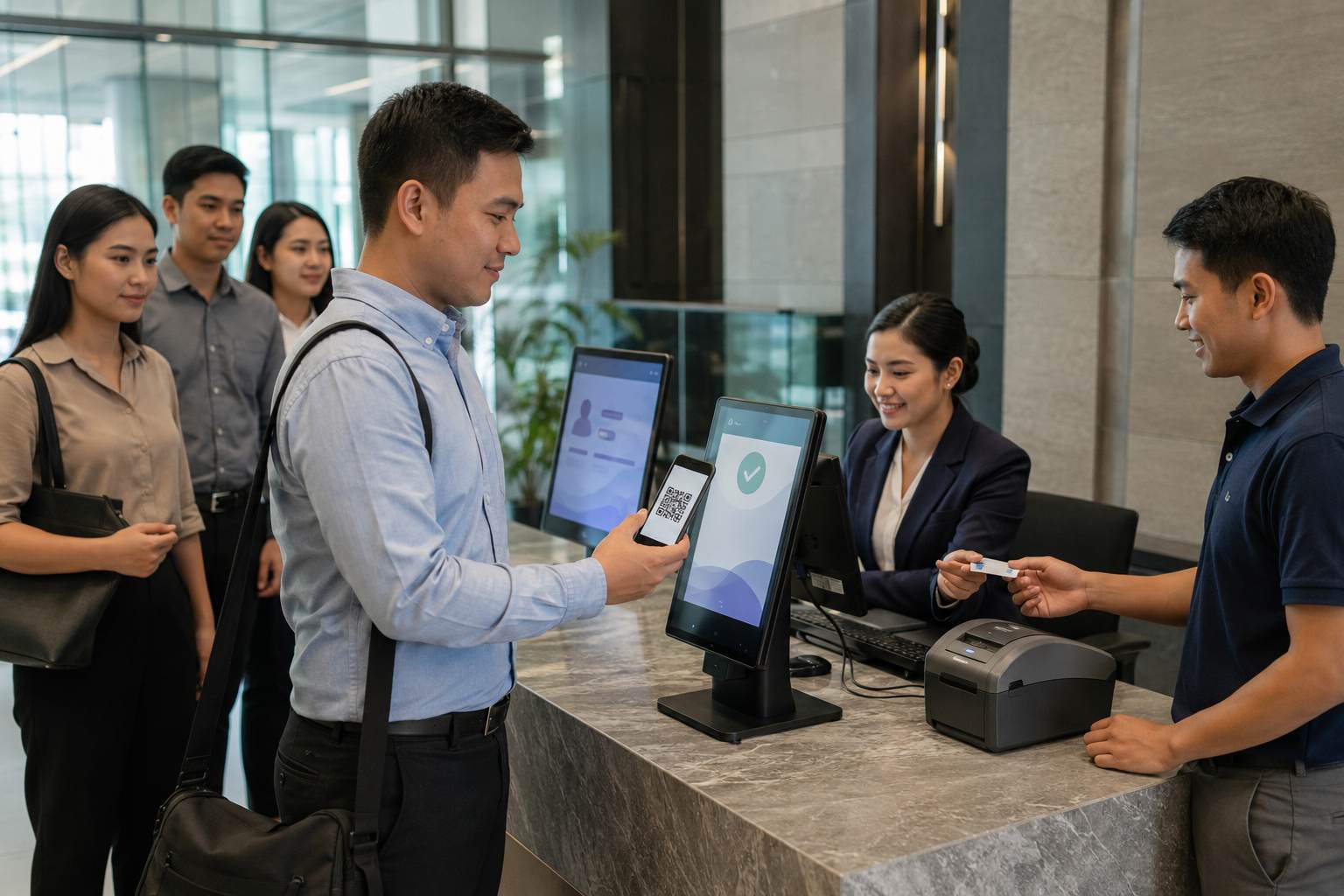
Fast Digital Check-In
Fast check-in is one of the most important features for high-traffic buildings. Visitors should be registered quickly without creating long lobby queues.
This may include digital forms, ID capture, QR codes, visitor badge printing, or reusable access credentials. The goal is to reduce repetitive manual encoding while keeping visitor information accurate.
Pre-Registration and Host Approval
Pre-registration helps expected visitors move through reception more efficiently. A tenant, employee, or department can provide visitor details before arrival so front desk teams are not starting from zero during peak hours.
Host approval is also useful because it confirms that the visitor has a valid purpose before access is granted. A planned visitor management system process makes it easier to connect arrival, verification, badge issuance, and access control without slowing down daily operations.
Temporary Visitor Credentials
Busy buildings need a way to control visitor movement after check-in. Temporary credentials, such as RFID cards, QR codes, or digital passes, can help limit access based on the visitor’s purpose.
For example, a contractor may need access to a service area, while a client may only need access to a meeting floor. When visitor credentials are connected with access control systems, facility teams can assign access by area, time, and entry point.
Real-Time Monitoring and Reports
Real-time monitoring helps security teams see visitor activity as it happens. This is useful for large commercial buildings with multiple doors, elevators, turnstiles, and parking access points.
Reports are just as important. Facility managers may need to review visitor logs for incident checks, tenant concerns, emergency response, or operational audits. Features such as real-time monitoring and report generation help make visitor activity easier to review and manage.
How Should Visitor Management Connect With Building Access Points?
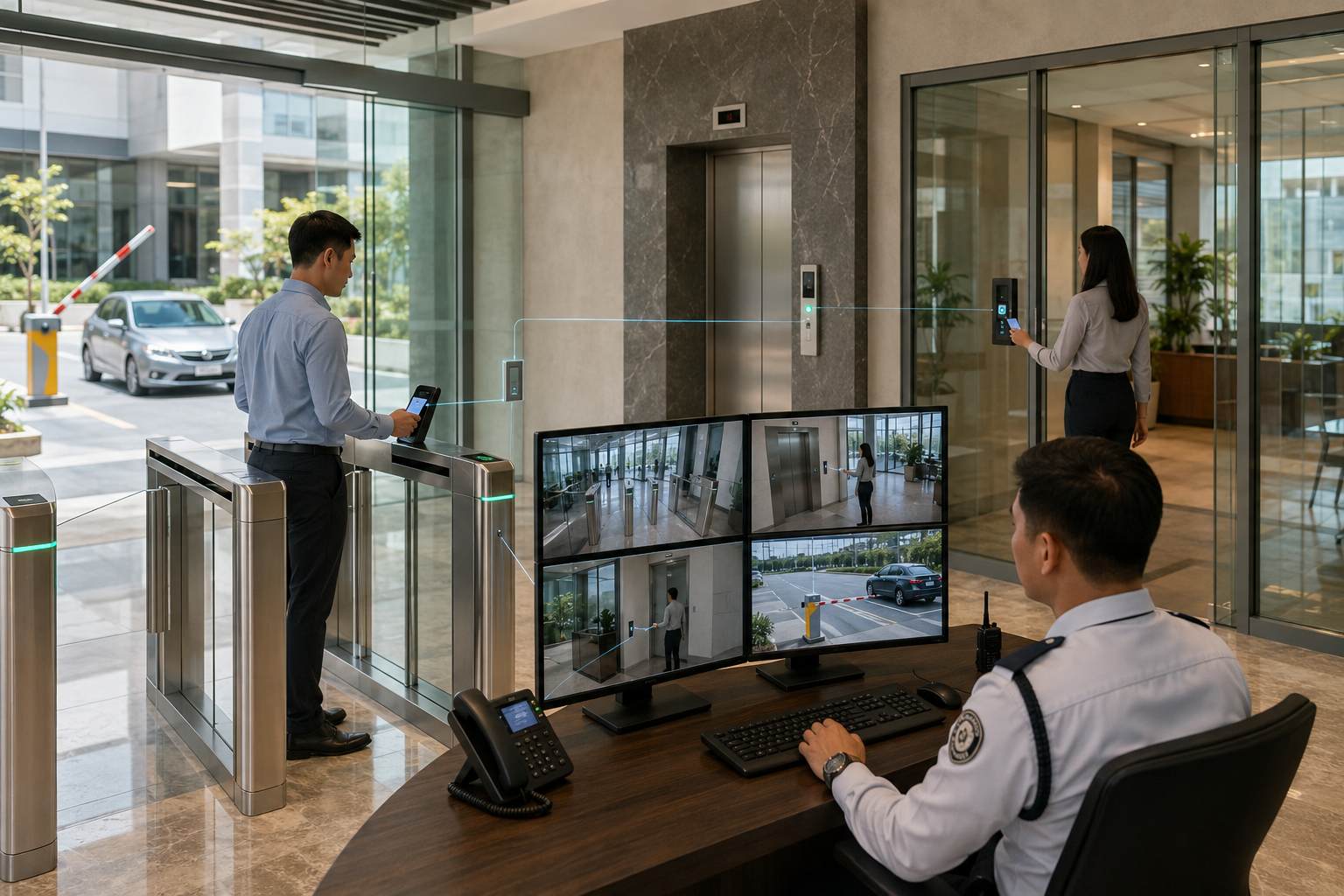
A visitor management system becomes more useful when it connects with the building’s actual access points. This includes doors, turnstiles, elevators, parking barriers, and restricted rooms.
For commercial buildings with high lobby traffic, turnstile systems can help regulate visitor movement by allowing entry only after a valid credential is presented. This helps prevent unauthorized entry and reduces the need for manual checking at every point.
For buildings with visitor parking, integration can also help connect guest vehicle entry with visitor registration. This gives facility teams a clearer record of both pedestrian and vehicle access.
What Should Facility Managers Check Before Choosing a System?
Before selecting a system, facility managers should review how visitors currently move through the building. This includes arrival, registration, host confirmation, access approval, movement within the facility, check-out, and credential expiration.
They should also check whether the system can support multiple visitor types. Tenants, contractors, delivery teams, suppliers, applicants, and VIP guests may require different workflows.
Scalability is another important factor. A system that works for one reception desk may not be enough for a commercial property with several towers, tenant floors, parking areas, or restricted zones. The best system should support current operations while allowing future expansion.
Building a More Efficient Visitor Flow
The most useful visitor management system features are those that help facility managers balance speed and control. Busy commercial buildings need fast check-ins, accurate visitor records, clear host approval, temporary credentials, and real-time visibility.
When these features work together, the building can manage visitors more efficiently without weakening security. Front desk teams can process arrivals faster, security teams can monitor access more clearly, and facility managers can maintain better records across daily operations.
Key Takeaway
For busy commercial buildings, the most important visitor management system features are fast digital check-in, pre-registration, host approval, temporary credentials, access control integration, real-time monitoring, and reporting. These features help facility managers improve visitor flow while keeping building access organized and secure.
ELID provides visitor management and integrated security solutions for commercial, industrial, hospitality, and institutional facilities in the Philippines. Contact ELID today to find a system that supports faster check-ins, better monitoring, and more controlled facility access.