What should you consider when integrating visitor management with access control?
1. Data synchronization
2. Compatible hardware and software
3. Access permissions
4. Centralized monitoring
5. Scalability
Overview
- Integrating visitor management with access control helps facility managers connect visitor registration with actual building entry.
- The system should support smooth coordination between front desk registration, door access, turnstiles, parking areas, and other controlled zones.
- Before implementation, facility managers should review data sync, access rules, compatible devices, reporting needs, and long-term scalability.
For facility managers, visitor management is no longer limited to recording names in a logbook. Visitors may need access to the lobby, meeting rooms, office floors, parking areas, warehouse zones, or restricted departments. Without proper integration, registration and access control can become disconnected from each other.
This is why knowing what to consider when integrating visitor management with access control is important. A visitor may be approved at the front desk, but the system also needs to know which door, turnstile, lift, or parking barrier that visitor can use. If the data does not move properly between systems, gaps can appear in security and daily operations.
A properly integrated setup helps facility managers simplify check-ins, manage temporary access, monitor visitor movement, and maintain accurate records. It also supports a more professional visitor experience while giving security teams better visibility over who is inside the facility.
How Do You Ensure Data Sync Between Visitor Management and Access Control Systems?
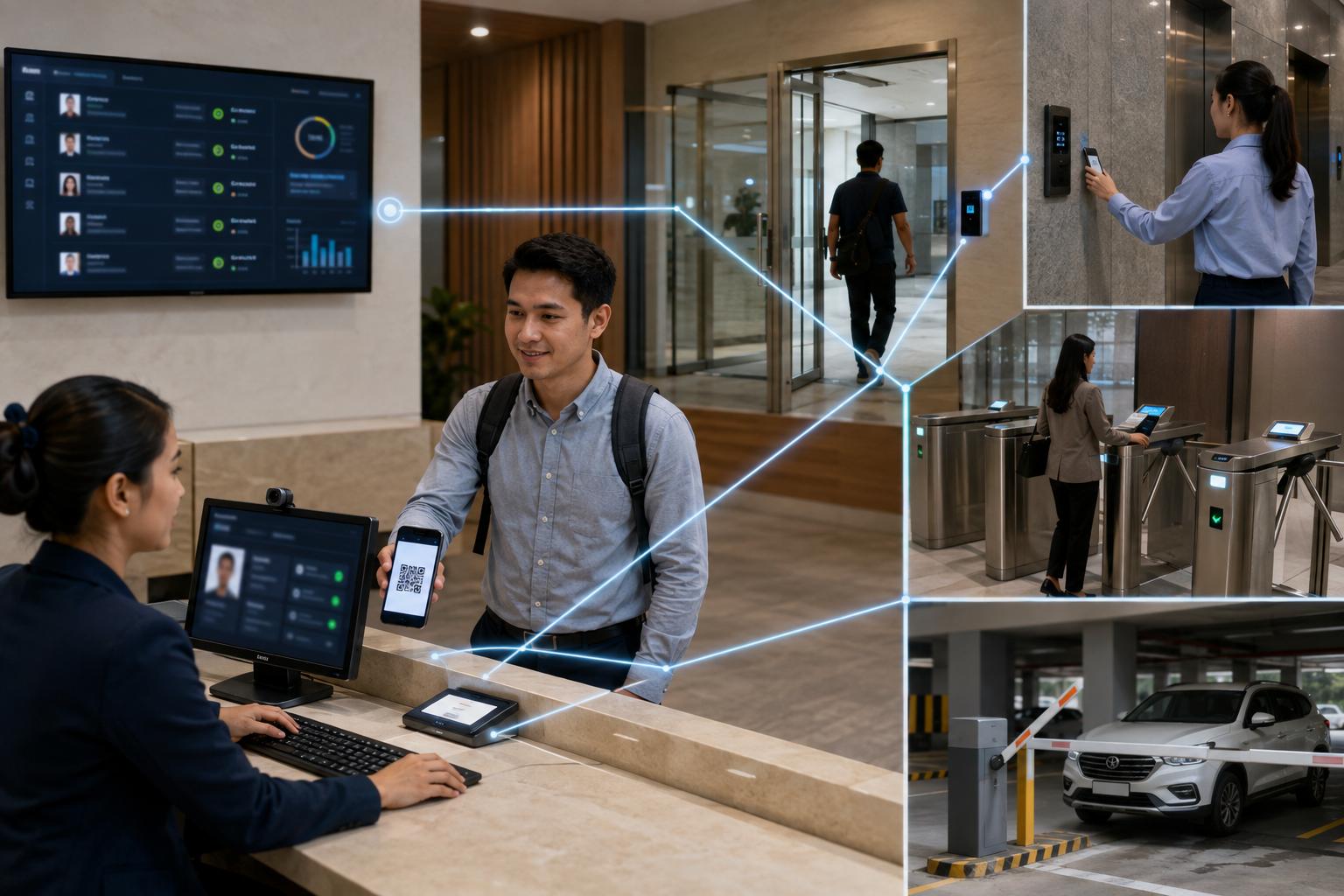
Data synchronization is one of the first areas to check when integrating visitor management with access control. Once a visitor is registered, their information should update across the access control system without requiring repeated manual encoding.
For example, a visitor who checks in at the lobby may receive a temporary card, QR code, or digital credential. That credential should work only for the approved entry points, such as the main door, assigned floor, meeting room area, turnstile lane, or parking access point. Once the visit ends, the same credential should expire or be revoked.
This is especially important for facilities that handle multiple visitors per day. Manual updates can lead to delayed access, incorrect permissions, or incomplete records. A connected system reduces these risks by keeping registration, access rights, and activity logs aligned.
Real-Time Updates From Check-In to Entry Points
Real-time updates allow visitor credentials to become active once the visitor has been approved. This prevents front desk staff from manually coordinating with security personnel for every access request.
For busy commercial buildings, offices, hospitals, schools, and industrial facilities, this can reduce delays during peak visitor hours. It also helps make sure approved visitors can move only through the areas assigned to them.
Centralized Records for Visitor Credentials
A centralized database helps ensure that all connected devices refer to the same visitor information. This may include the visitor’s name, host, company, purpose of visit, approved access zones, check-in time, and expected check-out time.
This is useful for facilities that need a clear audit trail. When visitor records and access logs are stored properly, facility managers can review who entered a specific area and when.
Time-Bound and Zone-Specific Permissions
Visitor access should not remain active longer than necessary. A good integration allows access rights to be limited by time, location, and purpose.
For example, a contractor may need access to a maintenance room for one afternoon, while a client may only need access to a meeting floor. These permissions should be easy to assign and revoke. This keeps visitor access controlled without slowing down front desk operations.
What Hardware and Protocols Are Needed for Seamless Integration?
Visitor management integration depends on both software and hardware compatibility. Facility managers should check whether the system can communicate properly with existing readers, controllers, turnstiles, barriers, and access points.
Many buildings already have some form of access control in place. Before adding visitor management, it is important to know whether the current devices can support the required credentials and communication methods.
Compatible Readers, Controllers, and Credentials
A visitor management system may use RFID cards, QR codes, PINs, biometrics, or temporary badges. These credentials must work with the facility’s access readers and controllers.
For buildings that already use a door access system, the next step is to check whether visitor credentials can be assigned to specific doors, floors, rooms, or entry schedules. This helps prevent visitors from moving beyond approved areas.
Communication Protocols and System Interfaces
Integration also depends on how systems communicate. Protocols such as TCP/IP or RS-485 may be used by access devices, while APIs or SDKs may allow software platforms to exchange visitor data.
Facility managers do not need to handle every technical detail themselves, but they should ask whether the supplier can support the required integration. This includes enrollment, credential activation, access revocation, reporting, and device monitoring.
Support for Existing and Future Devices
Facilities may expand over time. A system that only works for one entrance may not be enough if the building later adds more doors, turnstiles, parking access, or tenant areas.
Choosing a flexible setup helps reduce the need for repeated system changes. It also allows facility managers to improve security gradually without replacing the entire infrastructure right away.
How Does Integration Improve Door, Turnstile, and Parking Security?
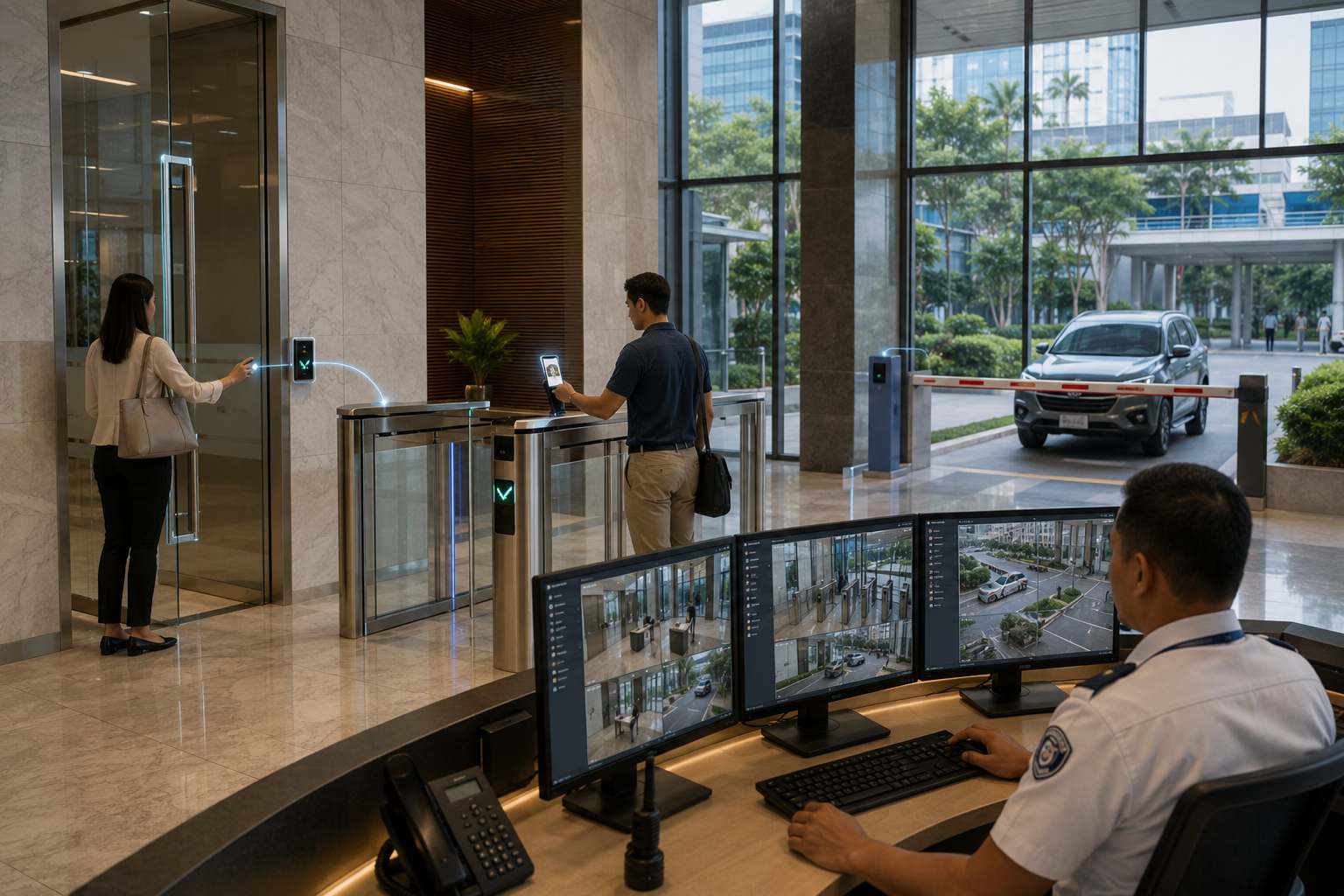
Integrating visitor management with access control improves security because registration is connected to actual movement. It helps facility managers see not only who checked in, but also where that visitor was allowed to go.
This is useful for offices, commercial buildings, mixed-use developments, warehouses, hospitals, and other facilities that handle different visitor types. A delivery rider, job applicant, supplier, contractor, client, and tenant guest may all require different access rules.
With integrated access control systems, facility managers can manage visitor access based on approved zones, schedules, and entry points.
Door Access
Door access integration allows visitors to enter only assigned areas. This is helpful for buildings with private offices, server rooms, stockrooms, executive areas, or restricted departments.
Instead of relying only on guards or reception staff, access permissions can be programmed into the visitor credential. This makes entry control more consistent and easier to review.
Turnstile Access
For high-traffic lobbies, turnstile systems can help regulate visitor movement. When connected to visitor management, turnstiles can verify whether a temporary credential is valid before allowing entry.
This helps prevent tailgating, unauthorized entry, and uncontrolled lobby movement. It also gives security teams better visibility during peak hours.
Parking Access
Visitor management can also support vehicle entry. When connected to a parking system, the system can help manage guest vehicles, temporary parking access, and entry logs.
This is useful for facilities where visitors enter through both pedestrian and vehicle access points. It also allows security teams to keep visitor records and parking activity more organized.
What Should Facility Managers Check Before Implementation?
Before implementation, facility managers should map how visitors move from registration to approved entry points. This includes check-in, host approval, credential issuance, access to assigned areas, check-out, and automatic access expiration. When the visitor management system is clearly planned, it becomes easier to connect visitor records with doors, turnstiles, parking areas, and other controlled zones.
Visitor Flow
Start by mapping the visitor journey. This includes arrival, registration, host approval, credential issuance, access to assigned areas, check-out, and credential expiration.
This helps identify which entry points need to be connected to the system. It also helps facility managers decide whether visitors need access to doors, turnstiles, elevators, parking areas, or specific facility zones.
Access Rules
Access rules should be clear before system configuration begins. Facility managers should define who can approve visitors, how long access should last, which areas visitors can enter, and what happens when the visit ends.
For facilities with tenants or departments, access rules may vary per floor, company, or area. A scalable system should support these differences without making the process difficult for front desk or security teams.
Reporting and Audit Trails
Integrated systems should provide accurate logs. These records are important for incident review, emergency response, compliance checks, and operational reporting.
Facility managers should check whether the system can generate reports by visitor name, host, access point, date, time, or event. This makes it easier to review movement history when needed.
Alerts and Exception Handling
A good integration should support alerts for unusual activity. This may include expired credentials, denied access attempts, access to restricted areas, or repeated failed entries.
Alerts help security teams respond faster. They also reduce the risk of relying only on manual observation.
How Can a Scalable Setup Support Multi-Site Facilities?
For organizations with several branches, buildings, or controlled areas, scalability is a major consideration. Visitor policies should remain consistent even if operations happen across different sites.
An integrated system should support centralized control, multiple access points, and consistent visitor records. This allows facility managers to apply standard access policies while still adjusting rules for each location.
For larger properties, ELID’s visitor management system can support more organized visitor handling by connecting registration with access control requirements. ELID’s WinPro 2 platform also highlights how integrated security systems can support visitor management, real-time monitoring, access rights, and reports, which are useful for facilities that need centralized supervision.
Scalable integration is especially valuable for commercial buildings, industrial facilities, campuses, hotels, hospitals, and property developments. These environments often require more than one entry point, more than one administrator, and more than one layer of security control.
Strengthening Facility Access Through Integration
Integrating visitor management with access control helps facility managers connect visitor registration with actual facility access. It reduces manual coordination, improves visibility, and helps ensure that visitors can only access approved areas during approved times.
The most important considerations are data synchronization, compatible hardware, clear access rules, reporting capabilities, and scalability. When these areas are planned properly, the system can support smoother visitor entry while strengthening overall facility security.
For facilities with doors, turnstiles, parking areas, lifts, and restricted zones, integration is not only a technical upgrade. It is a practical way to improve how people, vehicles, and access points are managed every day.
Key Takeaway
When integrating visitor management with access control, facility managers should focus on real-time data sync, compatible devices, time-bound access permissions, accurate audit trails, and centralized control. A well-integrated system helps secure the facility while making visitor handling faster and more organized.
ELID provides visitor management and access control solutions designed for commercial, industrial, hospitality, and institutional facilities in the Philippines. Contact ELID today to find the right integrated security setup for your building or facility.